PlantUML & Mermaid diagrams rendered entirely client-side, right inside your Jira issues. No servers. No accounts. No data leaks.
Client-side rendering. Storage in Jira. No third-party servers, no external API calls. Data never leaves the Atlassian ecosystem.
Runs in your browser. Export PNG or SVG to disk. No server, no cloud, no account. Nobody sees your diagram — not even us.
Can you approve this plugin for your 500-person org? Yes. Here's why.
Built-in TypeScript rendering engine runs in the browser. Your diagram source is never transmitted to any external service. No Java server to deploy, configure, or patch.
Install from the Atlassian Marketplace and start diagramming. No signup for an external service, no OAuth to a third-party, no data shared outside Atlassian.
Teams that need full PlantUML/Mermaid spec coverage can opt in to server rendering. HTTPS-only, configurable endpoints, private IP ranges blocked. The choice is yours — not ours.
Diagrams are stored in Jira app storage, scoped to your instance. No external databases, no cloud sync, no telemetry on diagram content.
SeedUML renders your diagram and inserts it directly into the Jira issue description. Visible to everyone who opens the issue. No panel to click, no sidebar to open.
As a user, I want to log in via SSO so that I don't need a separate password for every internal tool.
Acceptance criteria:
Proposed flow:
Notes: The SSO provider returns a JWT token. Auth Service validates the signature against the provider's public key before creating a session. Token expiry is set to 8 hours to match the corporate policy. See the class diagram in PROJ-138 for the session model.
Updated by @anna.kowalski · 2 hours ago
This diagram is inside the description, not a panelVisible to everyone who opens the issue
Update the diagram and it replaces in-place
Rendered client-side, even the embedded image
Write in whichever syntax you prefer — SeedUML auto-detects and renders.
PlantUML
Mermaid
Never used diagram-as-code? Here's why teams are switching from drag-and-drop.
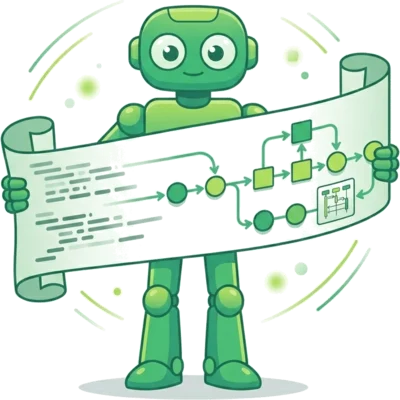
Paste a sequence diagram into ChatGPT and say "add error handling." It works — because your diagram is text, not pixels. Try that with a PNG from a visual editor.
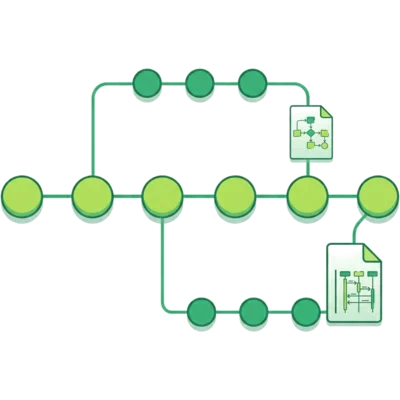
Diagram source is plain text. It diffs, merges, and lives in your Git history alongside the code it documents. Review diagram changes in a pull request just like code.

No mouse, no palette, no alignment fiddling. Type A -> B: request and you have a sequence diagram. Modify 10 arrows in seconds, not minutes.
This playground uses the same rendering engine as the Jira plugin. Everything runs in your browser.
Open PlaygroundInstall once, use everywhere. No training, no configuration, no maintenance.
Every diagram saves up to 10 versions. Restore any previous version with one click. Full audit trail of changes.
Start from templates for all 16 diagram types. New team members are productive on day one.
Download as SVG, PNG (2x resolution), or source file (.puml / .mmd). Use diagrams in docs, presentations, wikis.
Default: zero-trust local rendering. Teams that need broader syntax coverage can opt in to server rendering per engine.
All features included in every plan. You only pay for team size.
30-day free trial on all paid plans. No credit card required.
All plans include all 16 diagram types, unlimited diagrams, client-side rendering, version history, and export. Billed through the Atlassian Marketplace.